Transcribe a video free, without uploading it anywhere
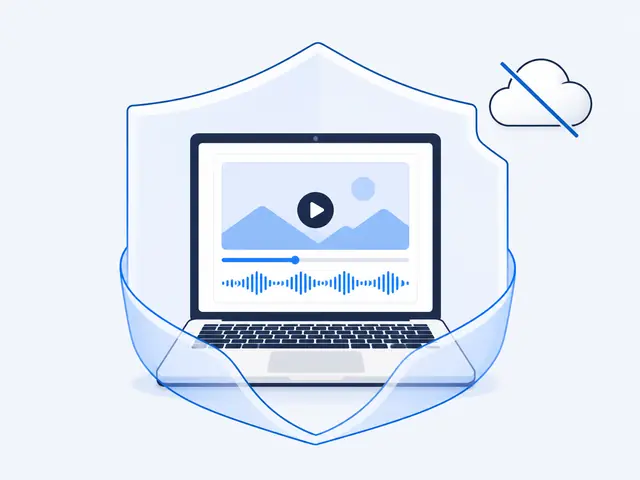
Open the free VideoDoc browser version, drop in your video or audio file, and it transcribes on your own machine using your browser's AI, through your graphics card when possible. Download the text as .txt or .md. No account, no card, and the file never uploads, so free actually means free and private actually means private.
"Free transcription" online usually means one of three catches: free for ten minutes then pay, free if you make an account and eat the emails, or free because your file becomes their data. I put the real options side by side in a comparison of video to text converters. I wanted one page with none of the catches, mostly because the videos I test with are my own recordings, in my own voice, and shipping those to a stranger's server to save typing never sat right with me.
- Open the free VideoDoc browser page and drop in a video or audio file from your disk.
- Your own hardware runs the AI model, through the graphics card when possible, and nothing uploads.
- Save the transcript as .txt or .md, with no account, no card and no watermark.
How a browser transcribes with no server
Modern browsers can run real AI models on your own hardware, using the graphics card through WebGPU when it is available and falling back to the CPU when it is not.
- Open videostodoc.com/try in Chrome or Edge for the GPU path.
- Drop in a video or audio file from your disk.
- Wait while your machine works, the first run includes the one-time model download.
- Read the transcript and save it as .txt or .md.
Check: The transcript appears on your screen without one byte of your video crossing the internet.
So the free VideoDoc page works like this: your file is read locally, listened to locally, and written out locally. Close the tab and nothing of yours is anywhere but your machine.
The limits, stated plainly
This page is deliberately the small tool.
- Your own files only, no YouTube links.
- Words only, no on-screen captures.
- And shorter videos suit it best, because a browser tab is a polite guest on your computer and does not get the machine's full strength.
Check: There is no watermark and no trial clock, it is simply free, because it costs me nothing to run: your hardware does the work.
When you have outgrown it
The desktop app exists for everything the tab cannot do: links and whole playlists, 3 hour lectures, the slides and code captured into a PDF, HD and 4K downloads, all still on your own machine with nothing uploaded, $19 once.
- The browser page is the honest sample of the same local-first idea.
Check: If words-only on your own files covers your needs, keep using it forever with my blessing.
Try the free version on a real file now.
No signup, no upload, no card, your machine does the work. When you need links, playlists and captures, Pro is $19 once, lifetime.
Quick questions
Is it really free with no trial limit?
Yes. The browser version is free forever, no account and no watermark. It runs on your own hardware, so it costs nothing to provide.
How is this private exactly?
The AI model runs inside your browser on your machine. Your file is never uploaded, so there is no server copy, no retention policy to trust, nothing to delete.
Why is my first run slow?
The speech model downloads once into your browser on first use. After that it is cached, and runs are faster, especially in Chrome or Edge where the graphics card can be used.
Drop one real file in and watch your own machine do work you assumed needed someone's server. That small shock is the whole point of local-first.

I am a telecom engineer and business analyst from Pakistan, and I build small honest desktop tools under Designesh. I made VideoDoc because I wanted my AI to read the lectures I study from. Everything here is tested on my own machine first.