Video to document or a transcription service: which one do you actually need?
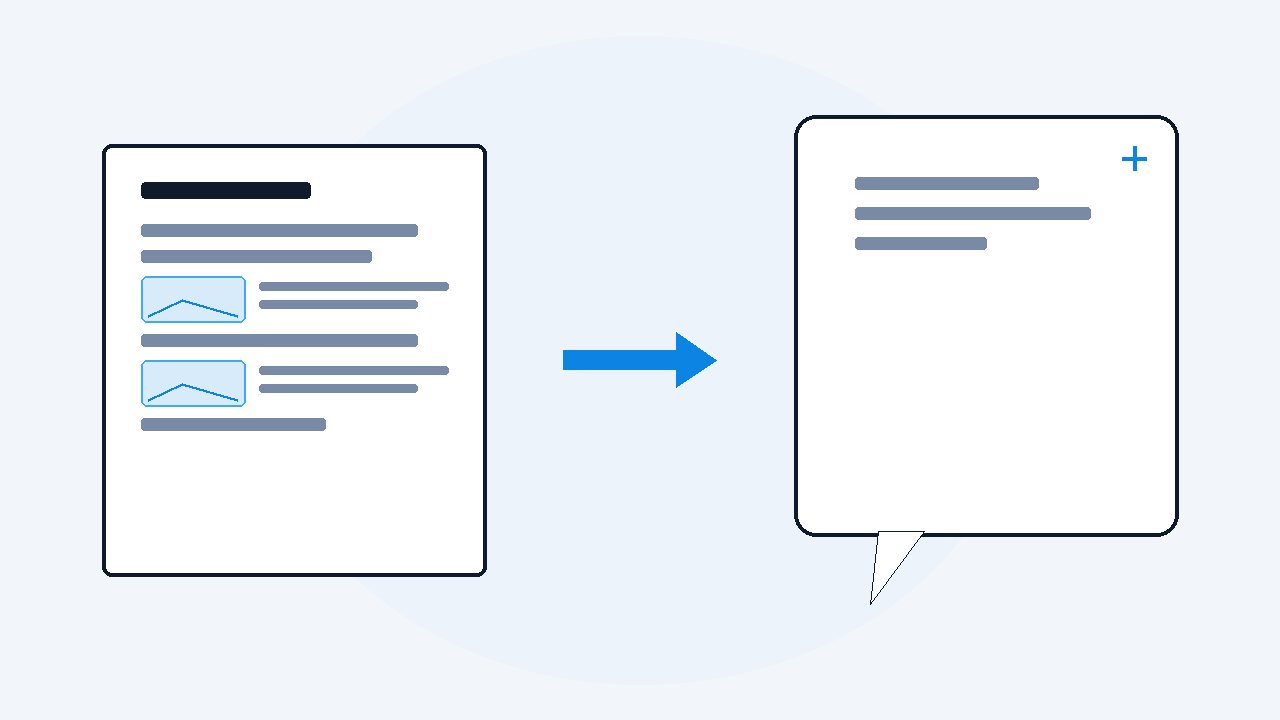
A transcription service turns the speech in a video into text, and the good ones label who is speaking or have a human check every line. A video to document tool gives you that text plus the screen, the slides, code and diagrams, saved as images beside the words. Buy transcription for interviews, meetings and quotes. Buy a document when the screen carries the meaning.
Last Updated: October 15, 2026.
Say you have a recording sitting on your computer, a two hour lecture or a recorded team call, and you want it as text so you can search it or hand it to ChatGPT. You search for a way to do it, and you get two kinds of answers mixed together: transcription services like Rev and Otter, and video to document tools like the one I build. They look like the same thing, but they are not.
If the video is people talking, buy transcription. If the screen shows things you need, like slides or code, you need a document. A transcript only ever hears the audio, so anything that was shown and never said out loud is simply not in it. I build VideoDoc, so read the rest knowing that, and you will see I list the places where the transcription services are better.
What does a transcription service actually give you?
A transcription service listens to the audio and writes down the words. That is the whole job, and the good ones do it very well. Most of them also do speaker identification, which in normal words means the transcript says who said each line, like "Sara:" and "Ahmed:", instead of one long block of text.
Some services also sell human transcription, where a real person types or checks every line. Rev publishes its price on its pricing page: human transcription at $1.99 a minute, which it says is 99%+ accurate and delivered in 12 hours or less. So a one hour recording costs about $119 that way, and you get back text you can quote in a report or a court filing without listening to it again.
Then there are AI notetakers like Otter, which are built around meetings. Otter's pricing page shows a free Basic plan with 300 minutes a month, a limit of 30 minutes per conversation and 3 file imports in total, with speaker identification by name. That is fine for a few short calls, but a two hour lecture does not fit inside one free conversation.
What does a video to document tool give you that a transcript does not?
A video to document tool gives you the same words, but it also watches the picture. When a slide, a code editor or a diagram comes up on screen, it saves that moment as an image and puts it into the document next to the words that were spoken over it. You end up with one PDF that has both halves of the video.
This matters more than it sounds. In a tutorial the teacher says "so we change this line here" and never reads the line out. In a lecture the speaker says "as you can see on this chart". A transcript keeps those sentences and loses the thing they point at, so a month later the text makes no sense, and an AI reading it has to guess.
With VideoDoc that whole job runs on your own computer. You paste a public link or drop in a file, it uses the video's own captions when there are any, and when there are none it listens to the audio and writes the words on your machine. Then it saves the on-screen content as images and builds a PDF and a Markdown file, and nothing is uploaded anywhere.
Where does a transcription service genuinely win?
There are four places where I would tell you to pay for transcription instead, and I mean it.
- Speaker names. VideoDoc does not label who is speaking. On an interview or a panel, a transcript that says who said what is worth a lot, and that is a feature the services have and my tool does not.
- Human checked accuracy. If you will quote the text word for word, in journalism, research or a legal matter, a human pass like Rev's is the safer buy. Any AI transcript, mine included, can mishear a name or a technical word.
- Live meetings and teams. Notetakers join the call while it happens and share notes with your whole team. VideoDoc works on recordings only and is a personal tool for your own 2 machines, with no shared workspace.
- Not owning a fast computer. A cloud service does the heavy work on its servers. VideoDoc does it on your machine, so on a video with no captions, an older laptop takes longer, and how long depends on your computer.
The first time I ran a two person interview through my own tool, the words came out clean, but it was one long stream with no names. I had to listen back to work out who asked and who answered. For that kind of video a transcription service with speaker names is simply the better tool, and I still tell people so.
When is a video to document tool the better buy?
The other side is just as clear. If the video is a lecture with slides, a coding tutorial, a software walkthrough, a recorded webinar or anything where the screen changes, a transcript throws away half the content, and no amount of accuracy in the words brings it back.
Cost is the other half of it. Metered services charge per minute or per month, so a course with 40 hours of video gets expensive, and a subscription keeps billing after your busy month is over. VideoDoc is $19 once, for life, on 2 machines, so the tenth course costs the same as the first. If you only have one short clip, though, the free route is usually better than either: YouTube's own Show transcript button, or the free ways in this comparison.
Which one should you pick for your video?
| Your video | What you need | Better pick |
|---|---|---|
| Interview or podcast with two or more people | Who said each line | Transcription service |
| Text you will quote in a report or in court | Human checked words | Human transcription |
| A live team meeting | Notes during the call, shared | AI notetaker |
| Lecture with slides | The words and the slides together | Video to document |
| Coding tutorial or software walkthrough | The code and the screens | Video to document |
| A whole course or playlist | Many hours, one price | Video to document |
| Private files you cannot upload | Nothing leaves your computer | Video to document |
If your video sits in two rows at once, a recorded meeting where someone shared slides for example, ask which half you will miss more next month. If it is who said what, take the transcript. If it is what was on screen, take the document, and you can still read the names off the slides if they were there.
VideoDoc has no speaker labels, no live meeting bot and no team accounts. Links work for public videos only, so a private or login only video has to be saved as a file first. And its transcript is AI made, so check any line you plan to quote.
Try it on a video where the screen matters.
Free to try in your browser on your own file. Pro is $19 once, lifetime, 2 machines.
Sources: Rev's pricing page for human transcription price, accuracy and turnaround, and Otter's pricing page for the free Basic plan limits and speaker identification, both read on October 15, 2026.
Quick questions
Is a transcription service better than a video to document tool?
It depends on the video. For interviews, meetings and anything you will quote, a transcription service is better because it can label speakers and offer human checked accuracy. For lectures, tutorials and walkthroughs, a document is better because it keeps the slides and code that a transcript never hears.
Does VideoDoc label who is speaking?
No, it does not. VideoDoc writes the words and saves the on-screen content as images, but it does not mark which speaker said each line. If you need speaker names, a transcription service is the right tool.
How much does human transcription cost?
Rev lists human transcription at $1.99 a minute on its pricing page, so a one hour recording is about $119. AI transcription is much cheaper, and some notetakers have free plans with monthly minute limits.
Can a transcription service capture slides or code from a video?
Usually not, because transcription works from the audio, so anything that appears on screen without being read out is missing. A video to document tool saves those moments as images next to the words.
Take the video you were about to pay for, ask whether you will miss the speakers or the screen more, and pick the tool that keeps that half.

I am a telecom engineer and business analyst from Pakistan, and I build small honest desktop tools under Designesh. I made VideoDoc because I wanted my AI to read the lectures I study from. Everything here is tested on my own machine first.