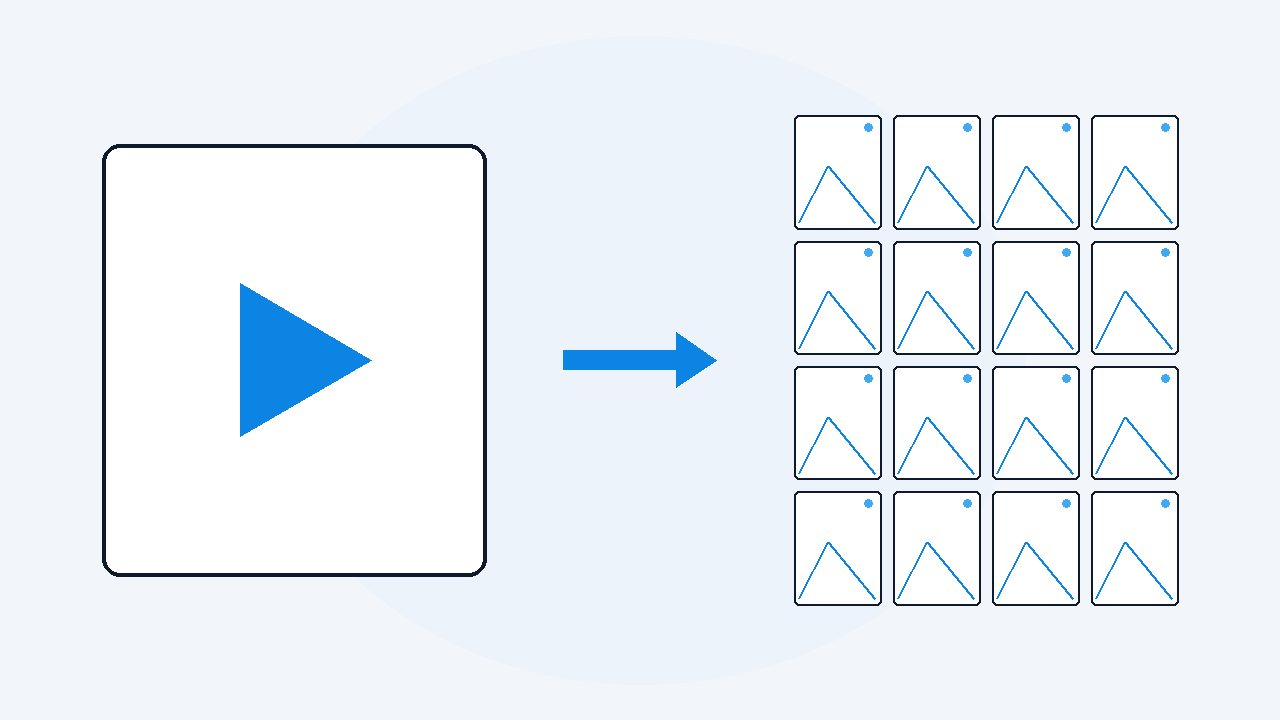
How to convert a video into images only
Skip the transcript entirely and export the video straight to pictures. VideoDoc has an images-only mode: it saves the whole video as numbered, timestamped JPEGs at 4, 2 or 1 a second, drops frames identical to the one before, writes a CSV index, and stops there. No PDF, no Markdown, and much quicker, because listening to the audio was always the slow half.
Sometimes the words are not the point. A screen recording of a settings panel, a webinar where the deck did the talking, a walkthrough with no narration worth keeping: what you want is the pictures, in order, and nothing else.
I learned this by wasting an afternoon. I had a 50 minute screen recording of an internal tool and I ran it through the normal document job. Transcription took most of that time. Then I opened the PDF, read four lines of somebody saying "and then you click here", and knew I would never read another word of it. The only useful thing in the output was the frames folder sitting beside it.
- Pick the images-only mode: the whole video becomes numbered, timestamped JPEGs at 4, 2 or 1 a second, duplicates dropped, with a CSV index.
- ffmpeg does it free on a file you already have, but leaves you plain sequence numbers, every duplicate, and no index.
- Images come out at the source resolution, so choose Best on links, and a deduped folder is the most useful shape to hand an AI.
The free way with ffmpeg, and where it stops
If the video is already a file on your disk and you are comfortable in a terminal, ffmpeg will do this today for nothing.
- Install ffmpeg, then put the video and your terminal in the same folder.
- Run
ffmpeg -i input.mp4 -vf fps=4 -q:v 2 frame_%06d.jpg. - Wait.
Check: You get four images for every second of video.
That is a real answer and I use it for one-off jobs. Here is where it stops. The names are sequence numbers, so frame_000842.jpg tells you nothing until you divide by four in your head. Every duplicate is kept, so an hour of one static slide becomes 14,400 copies of it. No index, no record of the settings that produced the folder, no way to cover a face. And it needs a file you already have, so a link means downloading it yourself first.
Keyframes, every frame, and the fixed sample
Three different things get called the same thing here, and picking the wrong one is why people end up with the wrong folder.
- Keyframes in the encoder's sense are the frames a compressor stores in full rather than as a difference from the one before. Some tools hand you these because they are cheap to pull out. They are placed to suit compression, not to suit you, and on a still slide there may be one every ten seconds.
- Every single frame means all 30 a second, or 60 on some recordings. It sounds thorough and is mostly waste: an hour is over 100,000 files, and 29 of every 30 are near copies.
- A fixed sample is the useful middle.
Check: Four a second is close enough together that nothing meant for a human to read can appear and vanish between two pictures, and an hour lands at about 14,400 before duplicates are removed.
There is a fourth thing, and it is the one you do not want here: the screenshots inside a VideoDoc PDF. Those are chosen. The app scores each picture for content, prefers the slide over the face, collapses repeated slides, and puts what survives next to the words spoken over it. Right output for a document. Wrong output for a raw sequence, because most of the video never makes the cut.
Images only, as its own mode
In VideoDoc this is not a tick box hidden in a panel. It is one of the three things the app can make, chosen at the top: a document for AI, just the video file, or every frame as images.
- You choose 4, 2 or 1 a second, and the app tells you how many images that means per minute and per hour before you start.
- Frames identical to the one before are skipped, which on a slide deck or a screen recording throws away most of the pile.
- Files are named
frame_000123_00h01m45.50s.jpg, so the name is the timestamp. - A
frames_index.csvlists every image with its moment, so you can sort and filter and jump back into the video. - It works on a link and on a file already on your computer, which is where a screen recording usually lives.
Check: If those pictures are going anywhere near other people, faces can be filled with solid black on the way out.
Pick the third and it downloads or opens the video, writes the pictures, and stops. Nothing is listened to, so the slow half of the job never runs.
What resolution you actually get
The pictures are as big as the video is.
- Nothing is upscaled, so a 480p file gives 480p images and the small text in them stays unreadable.
- If you are pasting a link, the quality you pick decides this, and Best fetches the video in full HD.
- That matters more than it sounds, because the point of these images is usually that something in them can be read, by you or by a model.
Check: If you need lossless frames, this is not your tool, and I would rather say so here than in a refund email.
They come out as JPEG, not PNG. At the quality level used, screen text looks the same to a human and to an AI, and across 14,400 files the disk cost is not a small difference.
Why a folder of JPEGs beats the video file for an AI
Dropping an MP4 into a chat window mostly does not work, and where it appears to work the model is usually reading a transcript of the audio rather than watching anything.
- Images are different.
- ChatGPT, Claude and Gemini all read images well, and they read a batch of them in order without complaint.
- So the folder is the useful shape.
Check: More on that in feeding a video to ChatGPT or Claude.
Two hundred deduped frames of a screen recording, in order, with the moment in every file name, gets you further than any transcript when the meaning was on screen instead of in the audio. Ask which screen the error appeared on, or ask it to write the steps out from the pictures alone.
No transcript means no transcript. There is no searchable text and no timestamps to quote, so if you might want the words later, run the document job and keep the frames folder beside it. Extracting frames needs the real video file, so a link still has to be downloaded first. Output is JPEG only. And this is the heavy option: how long it takes depends entirely on your computer, and the app warns you before it starts.
Turn one recording into a folder of images tonight.
Try the free browser version on a file you already have. When you want the images-only export, the duplicate removal and the face cover, Pro is $19 once, lifetime, 2 machines, 30 day money back guarantee.
Quick questions
How do I convert a video to images without a transcript?
Pick the images-only mode. In VideoDoc it is one of the three outputs on the main screen, beside a document for AI and just the video file. It saves the whole video as timestamped pictures and never runs transcription, which is why it is quicker.
Should I save 4, 2 or 1 image a second?
Four is the default and the safe choice, because nothing readable can appear and vanish between two pictures. An hour is about 14,400 images at four a second, 7,200 at two, 3,600 at one, before duplicates are dropped. Go lower when the screen barely changes.
What resolution are the extracted images?
The same as the video. Nothing is upscaled, so a 480p source gives 480p images. If you are pasting a link, choose Best to fetch the video in full HD before the frames are cut.
Can I extract frames from a video for free?
Yes, with ffmpeg on a file you already have: ffmpeg -i input.mp4 -vf fps=4 -q:v 2 frame_%06d.jpg. You get plain sequence numbers, every duplicate kept, no index and no way to cover faces, but it costs nothing.
Are the images good enough to hand to ChatGPT or Claude?
Yes, and this is usually better than handing over the video. Both read images well, in order, and a deduped folder with the moment in each file name gives the model the screen content a transcript throws away.
Find the screen recording you never rewatched because scrubbing it was too slow, and turn it into a folder of pictures instead.

I am a telecom engineer and business analyst from Pakistan, and I build small honest desktop tools under Designesh. I made VideoDoc because I wanted my AI to read the lectures I study from. Everything here is tested on my own machine first.